Start a draft
Open Policies in your organization and select New policy. New policies start as drafts. Give the policy a specific title so team members can distinguish it from other policies.
WWJD Policies · Part of WWJD Works
Give your team a clear policy and a reliable record of who has read it.
Choose this and one other app free. No credit card needed.
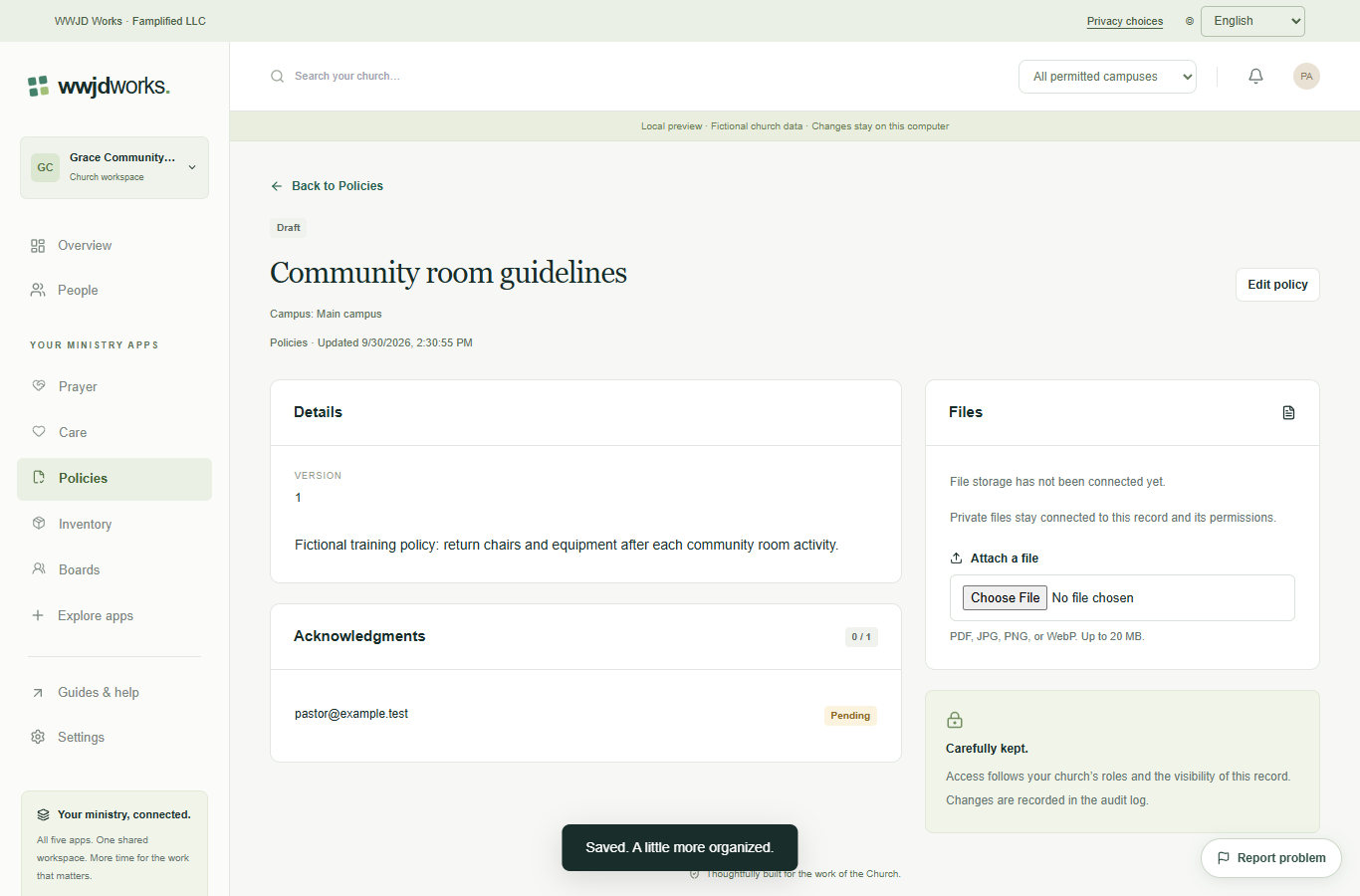
Open Policies in your organization and select New policy. New policies start as drafts. Give the policy a specific title so team members can distinguish it from other policies.
Enter the policy in Description, choose an acknowledgment due date, and select the team members who need to read it. Assignments use team accounts, not People directory entries.
Select Create policy and open the saved draft. Review the text and assignments. If file storage is configured, attach the document while the policy is still a draft. Use the acknowledgment guide before changing the status to published.
Prepare the wording, select readers, and set a due date before publishing.
Read the guide Everyday workflowsKeep acknowledgments tied to the exact version each person read.
Read the guideNo. Every product uses your WWJD Works account and the same organization workspace. Your team’s roles and permissions determine access.
Choose any two Standard products on the Free plan. Works includes all five current Standard products. Plans and limits apply per organization workspace. See simple pricing
Every product has a learning hub with step-by-step guides, actual screenshots, and a captioned video. The Guides & help link inside your workspace opens the relevant hub.
Keep acknowledgments tied to the exact version each person read. Read the guide
These products share your WWJD Works login, organization, permissions, and plan. You can add another product without creating a separate account.
Start free