Open Care
Choose your organization and open Care. Select New care case. Owners, administrators, and staff can create cases. Ask an administrator about access if you cannot see the app or the create button.
WWJD Care · Part of WWJD Works
Make the next act of care easier to remember and responsibly share.
Choose this and one other app free. No credit card needed.
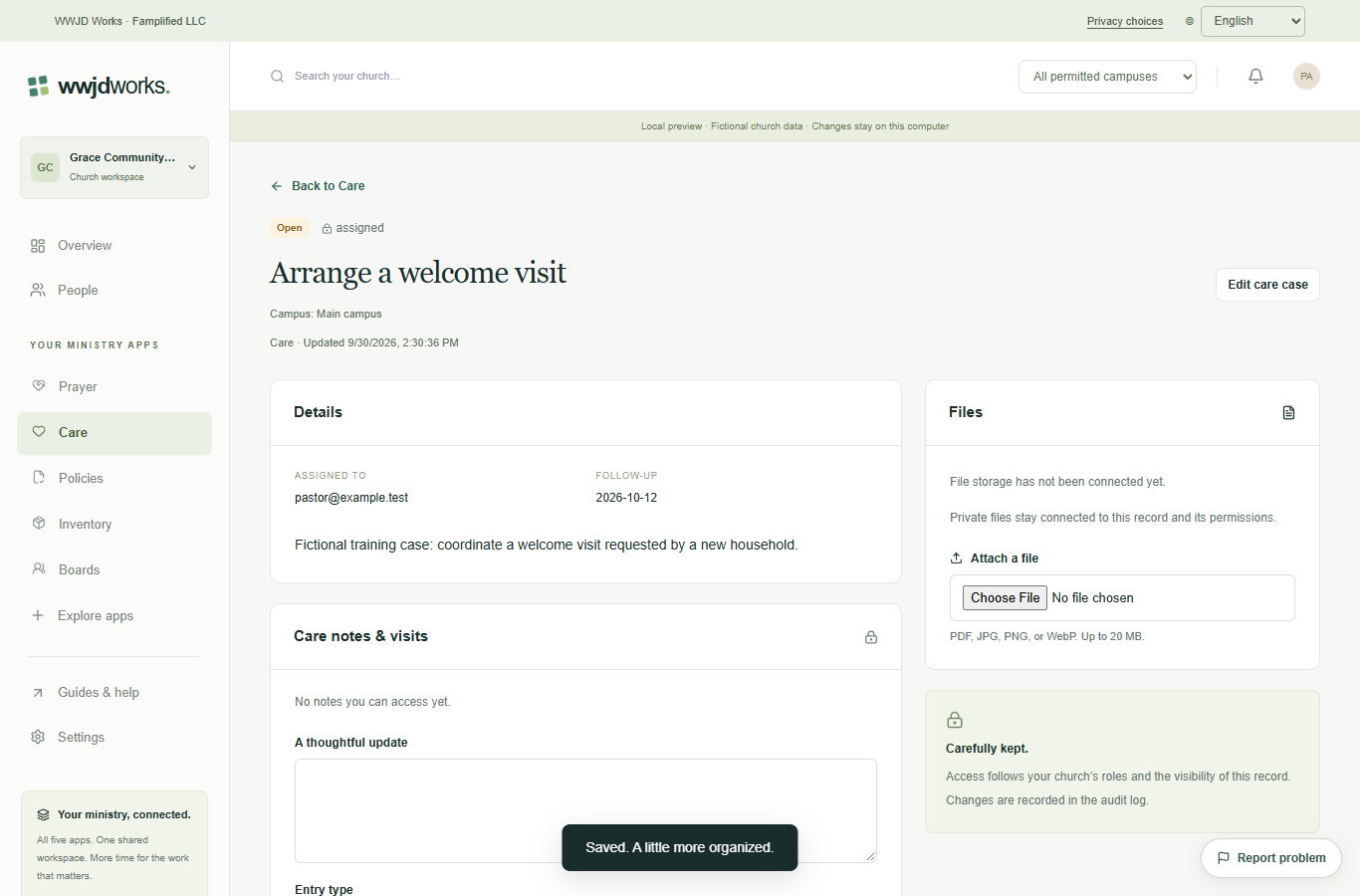
Choose your organization and open Care. Select New care case. Owners, administrators, and staff can create cases. Ask an administrator about access if you cannot see the app or the create button.
Enter the title and a brief, necessary description. Choose Assigned to, the care type, and a follow-up date. Keep the default assigned-worker audience when the case needs restricted access. Administrators can also access these cases.
Select Create care case and open the saved case. Review its assignment and visibility before adding notes. Use Edit care case to move the status from open to in progress or closed as the work changes.
Give a care need an owner, an appropriate audience, and a next step.
Read the guide Everyday workflowsDocument care without sharing more than the team needs.
Read the guideNo. Every product uses your WWJD Works account and the same organization workspace. Your team’s roles and permissions determine access.
Choose any two Standard products on the Free plan. Works includes all five current Standard products. Plans and limits apply per organization workspace. See simple pricing
Every product has a learning hub with step-by-step guides, actual screenshots, and a captioned video. The Guides & help link inside your workspace opens the relevant hub.
Document care without sharing more than the team needs. Read the guide
These products share your WWJD Works login, organization, permissions, and plan. You can add another product without creating a separate account.
Start free